
The Softbox Revolution: Why Your Ring Light Is Costing You Money (And How to Upgrade for Under $200)
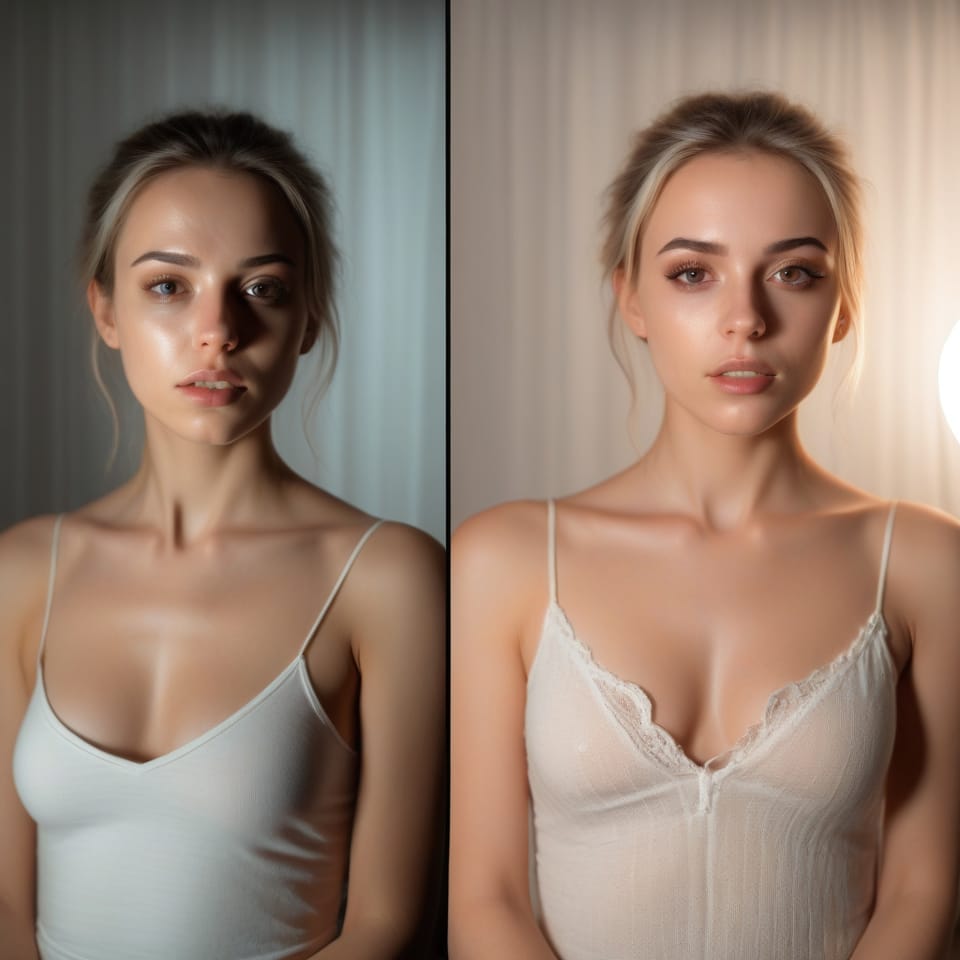
You've invested in a 4K webcam. You stream in 1080p. Your internet is solid. So why are viewers clicking into your room and bouncing right back out?
The answer? That ring light sitting on your desk is making you look washed out, creating harsh shadows under your eyes, and honestly giving you a splitting headache four hours into your stream.
A cam model recently posted her setup upgrade to Reddit and the response was insane - 510+ upvotes, dozens of models flooding her DMs asking for equipment links. But here's what really caught my attention: she reported her best earning month EVER after making the switch.
What changed? She ditched her ring light for a softbox setup.
Why Ring Lights Are Actually Hurting Your Earnings
Ring lights seem like the obvious choice, right? They're everywhere. Affordable. Every beginner guide recommends them.
But here's what nobody tells you:
Ring lights produce hard, direct lighting. Which means sharp shadows, unflattering highlights, and that distinctly amateur look. Sure, your face is bright - but you end up looking flat. One-dimensional. Like you're sitting in an interrogation room instead of creating the kind of intimate, inviting atmosphere that keeps clients around.
Models who've made the switch report something interesting: they started attracting different clients. Not necessarily more clients - different ones.
Instead of short shows, I've been getting far more long sessions. More guys that want to just chat and build a rapport. They always take their time. And I've noticed a big difference with group sessions - I just lounge back, angle my camera, and genuinely I'm so happy and comfy they all stay in the room with me.
Translation: Better lighting = better clients = longer sessions = more money.
The Physical Toll Nobody Talks About
Let's talk about the headaches for a second.
If you're streaming 4-8 hours with a ring light blasting directly into your face, you're basically staring into a circular fluorescent bulb for your entire shift. That harsh, concentrated light causes eye strain, headaches, and fatigue - and trust me, viewers can absolutely see it in your energy levels as the night drags on.
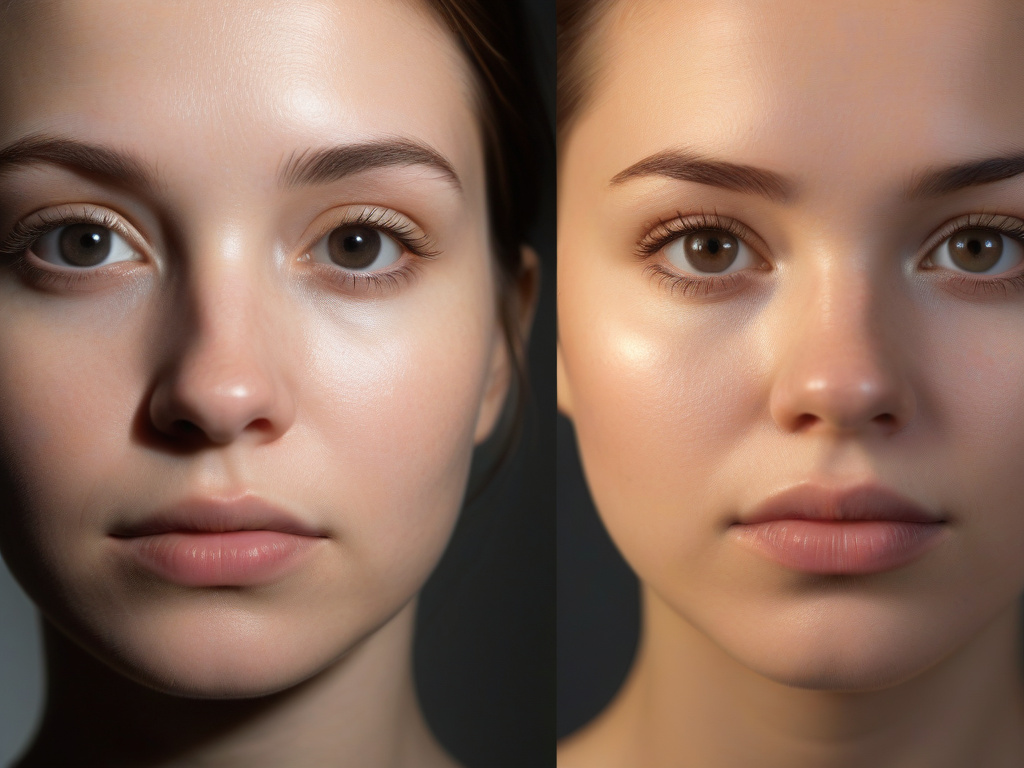
Softbox lighting is diffused - spread out over a larger surface area through a white fabric panel. It's so much gentler on your eyes. No more headaches. And you can actually maintain your energy throughout those marathon streams.
One model put it simply: 'So much nicer than a ring light and it doesn't give me a headache which is a bonus.'
The Budget-Friendly Softbox Setup That Actually Works
You don't need to drop thousands on studio equipment. The viral setup that models are bookmarking and recreating? Between $190-200 total.
Here's what you need:
The Core Setup
- Two 16-inch softboxes with grids and tripods (brands like Neewer or EMART on Amazon)
- Neewer RGB photography bulbs with CRI 95+ rating (color accuracy matters for skin tones)
- A desk lamp with a colored bulb for backlighting
That's it. Under $200 if you shop smart.
How to Position Your Lights (Three-Point Lighting Explained Simply)
Don't let 'three-point lighting' intimidate you. It's literally just three lights in specific positions:
- Main light (key light): Your primary softbox positioned at a 45-degree angle to your face, slightly higher than eye level
- Fill light: A smaller light source (second softbox or even a small ring light) on the opposite side to soften shadows
- Back light (hair light): A warm lamp positioned behind you to separate you from the background and add depth
Pro tip from the community: Turn off your overhead ceiling lights. They're universally unflattering and completely wash out all the work your positioned lights are doing.
The Zero-Dollar Hack: Diffuse Your Existing Ring Light
Not ready to invest yet? Try this first.
Grab a white linen shirt, a thin white pillowcase, or buy a diffusion gel sheet. Drape it over your ring light. Secure it with clothespins or tape.
Boom - DIY softbox effect. The fabric diffuses that harsh light, softens shadows, and gives you a preview of what professional lighting can actually do for your stream quality.
Models report this simple hack makes a noticeable difference. Won't match a proper softbox setup, but it's a free experiment that takes 30 seconds.
Warm vs Cool Lighting: Why Temperature Matters
Here's where models waste money: buying adjustable RGB lights and then using them completely wrong.
Light temperature is measured in Kelvin (K). Lower numbers = warmer (more orange/gold). Higher numbers = cooler (more blue/white).
For camming, you want warm lighting in the 2700K-3000K range. This creates:
- A cozy, intimate atmosphere
- Glowing, healthy-looking skin
- A bedroom vibe instead of an office feel
Cool white lighting (5000K+) makes you look clinical, harsh, and washed out. And whatever you do, don't mix warm and cool temperatures in the same setup - it creates weird color casts that make your skin look off.
The Unexpected Aesthetic Shift: Neutral Beats Neon
This might surprise you, but the models reporting the best results? They're not using colorful LED strips, pink neon signs, or themed rooms.
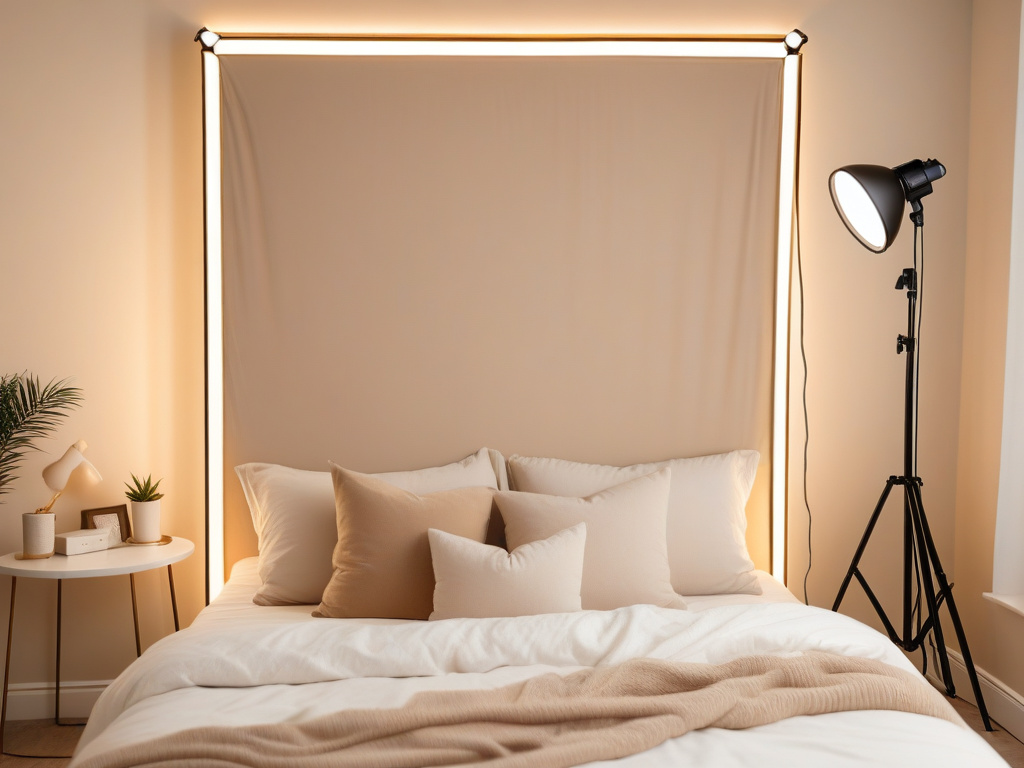
They're going neutral. Beige. Warm whites. Simple, cozy bedroom aesthetics with warm gold lighting.
So many girls have rooms that look like the inside of a damn easter egg. It's annoying and distracting. I have a blank white wall and get TONS of comments from guys that they like my plain/stark/no music room. They find it calming and 'mature.'
The logic makes sense: your background should fade away. You're the focus - not your room. Busy, colorful setups distract from you and make it harder for viewers to focus on what they came for. Consider reading our guide on how professional production value filters clients for more on this psychology.
Simple setups with professional lighting make you look glowy and highlighted while the background becomes a pleasant, inviting space rather than competing for attention.
Small Space Solutions (Because Not Everyone Has a Dedicated Cam Room)
Living in a 500 square foot apartment? Streaming from your bedroom? You can still make this work.
Look for foldable tripod stands that collapse and store in a closet. Tons of softbox kits are designed for small studios and pack down to 2-3 feet when not in use.
Alternative approach: Skip the stands entirely. Use 6-10 regular floor lamps positioned around your streaming area. You lose some positioning flexibility, but you can create a similar effect with multiple cheaper light sources. Learn more about budget-friendly equipment options in our article on dollar store supplies for cam models.
The key is diffusion. Even cheap floor lamps work way better when you're bouncing light off walls or diffusing through fabric rather than pointing them directly at your face.
Camera Positioning: The Detail Everyone Forgets
You can have perfect lighting and still look bad if your camera's in the wrong position.
Position your camera slightly higher than eye level and off to the side - not straight-on. Think about how you take selfies. You naturally angle your phone to find your best side, right? Apply that same logic to your webcam placement.
The model with the viral setup explains her approach:
I've set my camera slightly higher and off to the side of my face rather than straight on, because it's my best angle. In free chat I'll read comments on the TV screen, then look back to the camera so it still feels like eye contact.
This stops that harsh straight-on webcam look and makes everything feel more natural and flattering.
The TV Screen Game-Changer Nobody's Talking About
Here's a bonus tip that came up repeatedly: connect your laptop to a TV screen using a long HDMI cable.
Instead of squinting at a 13-inch laptop screen to read chat messages, you've got a 32-50 inch display you can comfortably read from across the room. No more straining your eyes. No more missing messages because the text was microscopic.
And don't cast wirelessly - that creates lag. A simple HDMI cable eliminates delay and makes chat interaction instant.
Expect to Experiment (This Isn't Plug-and-Play)
Fair warning: lighting setups require testing and adjustment. Your room size, wall color, skin tone, and camera settings all affect the final result.
What works perfectly in someone else's beige apartment might look terrible in your room with dark walls. What looks great on pale skin might completely wash out deeper skin tones.
Plan to spend time moving lights around, adjusting brightness, changing angles, testing different temperatures. Record test streams. Watch them back. Adjust again.
This is totally normal. Even models with years of experience report constantly tweaking their setups.
Technical Issues to Avoid
Quick troubleshooting for common problems:
Blurry stream despite good lighting? Check your bitrate settings in OBS or your platform encoder. Lighting doesn't fix low bitrate compression.
Multiple cameras glitching? Plug webcams into different USB controllers (opposite sides of your computer). When multiple cameras share the same USB controller, they fight for bandwidth and cause quality drops.
Washed out even with softboxes? You might have too much light. Reduce brightness or move lights further back. More isn't always better.
Affordable Brands That Actually Deliver
You don't need expensive pro gear. Models consistently recommend these budget brands:
- Neewer: Reliable softboxes, tripods, and RGB bulbs at entry-level prices
- EMART: Budget-friendly lighting kits that hold up well
- Ulanzi: Quality lighting accessories without the brand markup
Skip the overpriced equipment marketed specifically to content creators. Photography lighting works exactly the same and costs a fraction of the price.
The Real ROI: What Models Report After Upgrading
So does better lighting actually increase earnings? The community evidence is pretty compelling:
- Longer average session times (clients staying 20-60+ minutes instead of quick 3-5 minute shows)
- More girlfriend experience (GFE) regulars who value intimate, conversational sessions
- Better group show retention (viewers staying instead of bouncing after 30 seconds)
- Less physical fatigue during long streams (no headaches, better energy maintenance)
- Attracting clients who comment on stream quality and professionalism
One model summed it up perfectly: 'I've had my best month ever money wise on cam. It might be a combination of my room setup, or just because my energy has changed, but it's working.'
Your Next Steps
If you're ready to upgrade:
- Start with the DIY hack: diffuse your current ring light with white fabric and see the immediate difference
- Budget $190-200 for a basic softbox setup from Neewer or EMART
- Choose warm-toned bulbs (2700K-3000K) for intimate, flattering lighting
- Position lights at 45-degree angles (not straight-on)
- Test extensively and record streams to see how changes look on camera
- Consider connecting to a TV screen for easier chat reading
Your ring light isn't making you money. It's costing you the high-paying clients who click into your room, see harsh amateur lighting, and immediately bounce to find someone whose stream looks professional.
For under $200, you can change that. The models who've already made the switch are reporting their best months ever. The question is whether you'll join them or keep wondering why viewers aren't staying in your room.